Skip to content

ISP Tracker features, agent or service questions

Ask how a feature works, how agents work, anything related to non specific agent platforms
164 Topics 1.5k Posts
Notice: support.outagesio.com is now consolidated into support.isptracker.com

Automatically monitor your Internet service and provider with alerts to problems
Track Internet disconnections, provider outages with historical data, and automated speed testing.
For Windows, Linux, ARM64, ARMa7. Learn more by visiting www.isptracker.com
Notice: If you created an account on app.isptracker.com, simply use the same credentials to log into these support forums.
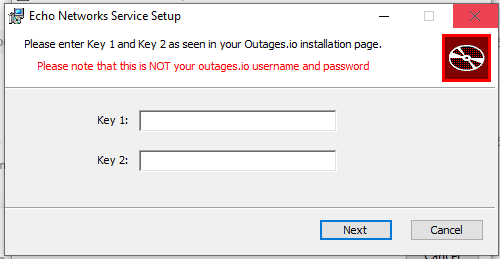
  • Service setup Installation Key1 Key2

    Solved install windows 10 service
    2
    1
    0 Votes
    2 Posts
    464 Views
    SBKS
    @fardvrsgr Hi Frances, When you create a new agent you are supposed to follow the instructions that are taking you to the point of downloading the executable to install the software on your PC In that page you didn't confirm that you downloaded the software so you cannot see the keys needed to continue the installation From the agent list if you click on the link "Click to complete" you will be taken to the page where you already downloaded the file and there you can simply press YES to confirm you did download the software (assuming you have) and there you will see the keys needed to install
  • 1 Votes
    4 Posts
    683 Views
    SBKS
    @shahinfard Hi, Please double check that all the settings are now associated to the HW agent.
  • Missing Activation Code

    activation hardware agent email
    5
    1 Votes
    5 Posts
    720 Views
    ISPtracker_SupportI
    Glad you got it.
  • how to read dashboard

    dashboard internal vs ext how to read
    64
    1 Votes
    64 Posts
    39k Views
    ISPtracker_SupportI
    As explained earlier, when you see disconnections but no outages, it means anything but IP outages. Those links I shared explain what some of the causes could be, bad or slowly failing cable, firmware needing an update in your firewall or router or modem, or your provider has a signal level problem at the street level and they aren't acknowledging the problem. The only way to know more in your case would be to get one or two neighbors to install an agent also so that we can correlate their data. To get more info, you could always upgrade your reports for 30 days and that will show you historical data and other information that may or may not help. It may not help since you seem to be experiencing problems which aren't specifically IP related so the agent cannot log those, it can only tell you that's what seems to be happening. You can know this because of what you aren't seeing, IP outages that would be logged by the agent.

  • Setting Static IP on Hardware Agent

    linux staticip hardware agent
    6
    1 Votes
    6 Posts
    919 Views
    ISPtracker_SupportI
    So how is it going? Did you figure it out?
  • Speed test stopped working

    speedtest hardware agent agent
    2
    1
    0 Votes
    2 Posts
    489 Views
    SBKS
    @markl Hi Mark, I recall during the tests we made that if the agent was connected to one network the speed tests were coming in correctly while connected on the other one they didnt. Is this the situation?
  • Agents reports wrong router was down ?

    agent internal outages
    7
    4
    0 Votes
    7 Posts
    1k Views
    L
    @SBK No matter if it's the primary WAN is up or not, 192.168.0.1 always remains up even during the failover or failback process. I verified this in my first post. That's why I said the agent reports something incorrect, because it reports that 192.168.0.1 is down when actually 192.168.1.1 is down.
  • I really got the install messed up

    installer extended level agentsetup
    16
    1 Votes
    16 Posts
    2k Views
    SBKS
    @Laguy442 Yes correct Those "missing" ping are just a possible problem in the connection If your router disconnects for those 2 min and 22sec then you have already the answer but lets wait a bit to see how much data is stored and what you can see from the dashboard
  • Outages Export timestamps incorrect

    timestamp export outages
    7
    0 Votes
    7 Posts
    988 Views
    C
    @SBK Yes, it says "Export date: Jun 9, 2022, 4:26:43 PM" but it was 7:26pm.
  • RAS Trial Feedback

    ras trial feed remote access
    19
    1
    0 Votes
    19 Posts
    2k Views
    SBKS
    @markl Done
  • Upload speed test Request

    speedtest upload request
    2
    0 Votes
    2 Posts
    452 Views
    SBKS
    @claytonbcollins Hi, Yes, we are already testing a new version that is going to include also the upload speed test. I cannot give a precise time-frame yet but definitely we want to get there too :-)
  • SSH solid (consistent, long-term), but Agent "Disconnected"

    ssh no hops agent
    4
    0 Votes
    4 Posts
    522 Views
    C
    @OutagesIO_Support Never mind. I searched for that command you suggested, "ps cax | grep otm_binary", in the forums and saw it mentioned to run the script, "sudo ./starter.sh". And now I'm back up and running! Thanks! Clay
  • Can't delete Agent

    delete manage agent
    8
    1 Votes
    8 Posts
    1k Views
    SBKS
    @claytonbcollins said in Can't delete Agent: 129098 and switch the Extended service to 129112, Done Please confirm all is ok and let me know if you could change the address
  • RAS for 3rd party vendors

    ras vendors hardware agent remote access
    13
    0 Votes
    13 Posts
    2k Views
    M
    @OutagesIO_Support Hi, yes I was testing it. Will probably create a post for my testing.
  • Dashboard Missing

    dashboard error missing
    3
    1
    0 Votes
    3 Posts
    568 Views
    I
    @SBK Thanks Ed. Funny we mentioned the lower prevalence of runtime bugs in code written in the functional programming paradigm, then a runtime bug happens, what are the odds? Aside from this little hiccup, the service has been great though. Appreciate the quick fix.
  • Speed testing not working

    speedtest hardware agent agent
    4
    0 Votes
    4 Posts
    663 Views
    M
    @SBK Unfortunately, my extended subscription has expired, so I can no longer check it. Will renew again and let you know.
  • Help with explanation

    disconnects diag interr mean
    6
    1 Votes
    6 Posts
    973 Views
    ISPtracker_SupportI
    Ok, well, based on everything you've told me, the problems are no matter if you are using wireless or wired and directly connected to the providers router. Your next task would be to check the signal levels on your providers router. Most, if not all cable routers will have a status page showing signal levels. You just need to look up the info for your own device and how you log into that. Most times, it's a default admin/admin login since there's nothing to config, just view. As your LAN IP for the device you have the agent running on is 192.168.0.x, then your router access should be either http://192.168.0.1/ or https://192.168.0.1/ Can you see a status page if you go to this IP from something inside your house? If so, if you need to log in, you'll have to dig on the net for default login credentials. Your input suggests that either the router/modem is suffering signal loss or its at the street level coming into your house. If you ask neighbors if they also experience such problems, then it will likely mean that the providers local device serving others in your neighborhood is having a problem. Providers will usually never admit to problems outside your home unless others are complaining or it's very obviously affecting your own service. We have many experiences where we've told the provider exactly where the problem was but they would barely acknowledge our information or flat out deny it. Later, services mysteriously get better. Here's a great example of such a story. Our local Internet provider would not admit it If you can confirm signal levels, then contact your provider and ask them to look at the signal levels on your router/modem. If they tell you it's fine and the problems continue, you could ask others in your area to also use OutagesIO and then we could help you confirm issues are affecting others and you could post on their social pages. OutagesIO is just a tool, it cannot solve the problems of course but it gives you the information you need to get your provider to get things fixed. Like all tools, you use all peices of information together to come to a conclusion. Hope all this helps.
  • Latency then Disconnected

    service stopped latencies outages service
    4
    0 Votes
    4 Posts
    859 Views
    ISPtracker_SupportI
    If you don't see an outage report, it's because it's not an IP problem, it's something else. That could be anything from signals levels to bad cable. This can help to explain. About Internet outages, alerts and agent statuses
  • Try RAS FREE for a month! (March 2022)

    Locked remote access lan secure internet
    14
    0 Votes
    14 Posts
    2k Views
    ISPtracker_SupportI
    Good to hear. Can you start a new post for the vendors if you don't mind, just in case someone else takes us up on the trial and will get confused in this question. In that post, we need a little info about how things are working and what the vendors need access to etc.
  • SOLVED: Frequent brief disconnects

    disconnects ping spikes no outage noted
    39
    1 Votes
    39 Posts
    16k Views
    ISPtracker_SupportI
    @johnmeyer My suggestion would be to keep monitoring to see if you can find a pattern since it's different from when this question started. Once you spot something, post a new question with those details and maybe we can offer a little insight.