
Not getting Gateway
-
 I ISPtracker_Support marked this topic as a question on
-
Hi,
Sorry for the late reply. For some reason, we're not always getting the notifications of posts. The problem persists.
My quick analysis is that the ISP is using something like CGNAT but I'm not sure. The reason I think that is because the display can still see the DNS servers and is receiving messages.
Can you let us know how the device is connected. Meaning, is it connected to your own wierless router/firewall and that is then connected to your providers router/modem?
-
Hi,
I'm sorry for the long delay. We finally found the issue with why emails were not always being sent out by these forums.
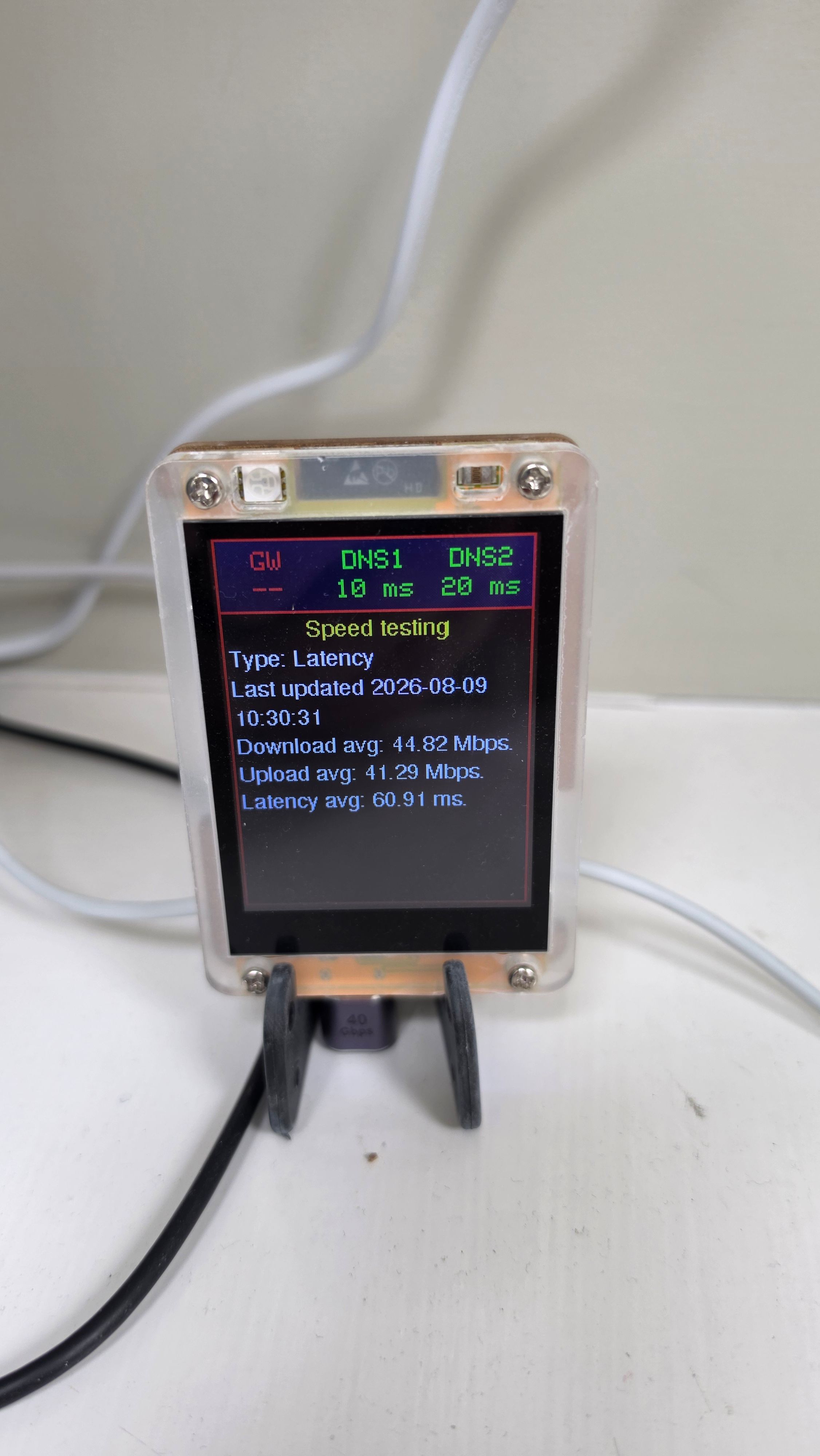
The display appears to be connected to the Internet correctly. We can tell because it is successfully reaching both DNS servers and has also received messages such as a completed a speed test showing about 44 Mbps download and 41 Mbps upload.
The red gateway warning is most likely a false alarm caused by how the display checks the gateway. The display tries to make a connection to the gateway using a few common network services. The Eero or TP-Link gateway may simply not allow those particular connections, even though it is otherwise working perfectly.
So this does not appear to mean the gateway or Internet connection is actually down. It is more likely that this particular network setup doesn't respond to the type of gateway test the display currently uses.
We could adjust how the display performs that test so it handles networks like this correctly but I'm not sure how we would get an update to you and this device has already been discontinued for a much improved version.
The display is working if you can live without it being able to determine your gateway.
The important question is whether the Eero is in bridge mode or router mode. That determines whether the display sees the Eero or the TP-Link as its default gateway.
-
I ISPtracker_Support referenced this topic
-
Hi, I took it from this that "this device has already been discontinued for a much improved version", which is why I mentioned an upgrade path. I could just live with the flashing red box; it is more annoying than anything else. I have purchased the yellow box and the display.
-
Hi,
The other designs were in the works long before the tiny display. We tested it for months before making it available but of course, something always shows up once something is in the field.
As I understand it, we could update your device from remote to see if we could solve this issue you're seeing but it's not 100% clear what the cause is, which is why we asked for more info above.
It's actually working as it should but maybe the code is slightly too sensitive for certain setups.I just happen to have one so connected it to my own network and see the same thing as you do.
Mind you, mine is probably more annoying because it has more things flashing.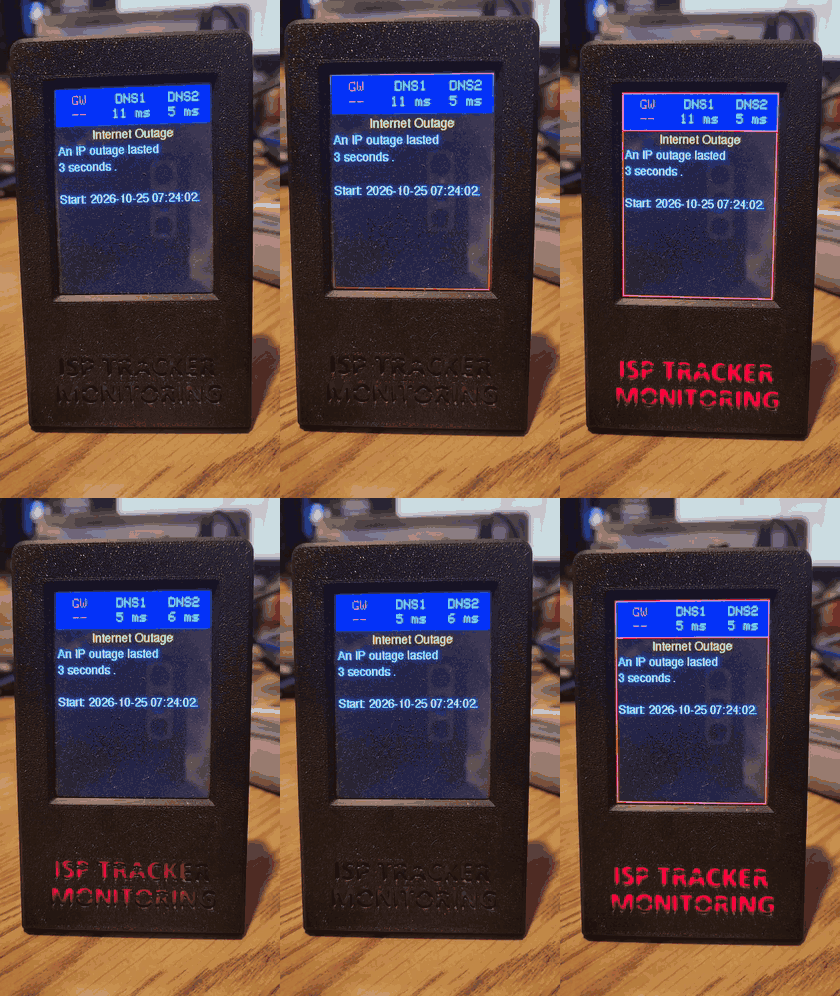
Let me see what I can get tested on this in the next few weeks. As I'm sure you've seen, we've got our days filled with many service changes which leaves us with little time to revisit some things in a reasonable amount of time, but I'll see what I can get done.
Also, if you can respond to our questions above, that might help.
-
Can you let me know which agent ID this is associated to please so I can get some needed info.
-
So your hardware agent gets the gateway but your display agent does not.
The agent is much more powerful than the display logic is. The display was not really meant to do any monitoring of its own but it ended up included because it seemed to work, at least in all the testing we had done.
The display does not have anywhere near the capabilities of the agent, it's rudimentary, basic local monitoring only. That said, there is something about gateway detection that is too sensitive. It likely does find the gateway but something sets it off to alert that it cannot reach it.As I mentioned, we'll have to do some testing in the coming weeks to see if it's something we can resolve. At least I have one here that is doing the same thing which is a good lead to work from.

Hello! It looks like you're interested in this conversation, but you don't have an account yet.
Getting fed up of having to scroll through the same posts each visit? When you register for an account, you'll always come back to exactly where you were before, and choose to be notified of new replies (either via email, or push notification). You'll also be able to save bookmarks and upvote posts to show your appreciation to other community members.
With your input, this post could be even better 💗
Register Login