Skip to content
  • 0 Votes
    1 Posts
    134 Views
    No one has replied
  • New ISP Tracker Display

    Moved Desktop displays support display tracker isp
    6
    1 Votes
    6 Posts
    291 Views
    ISPtracker_SupportI
    @kdowney Hi, Are you talking about the desktop displays or the local status? Local status is being removed soon, there are some issues we have to solve. If you mean being able to see multiple locations all at once, there is an overview map that should automatically get enabled for members that have 10 or more agents. You can get more info here; https://www.isptracker.com/isp-network-monitoring-tools-overview-map/ That map is a browser page that can be opened on a large display. Then you would see all of your locations being monitored and their statuses in one place, on one large display. Since it's a web browser, you could also check different agents as needed. It's basically like a NOC view if that makes sense for you. [image: overview-map-tv-02-350w.jpg] If I didn't understand, please feel free to add more context. BTW, as we work through the entire site, we will also be updating that overview map in the near future.

  • 0 Votes
    4 Posts
    456 Views
    ISPtracker_SupportI
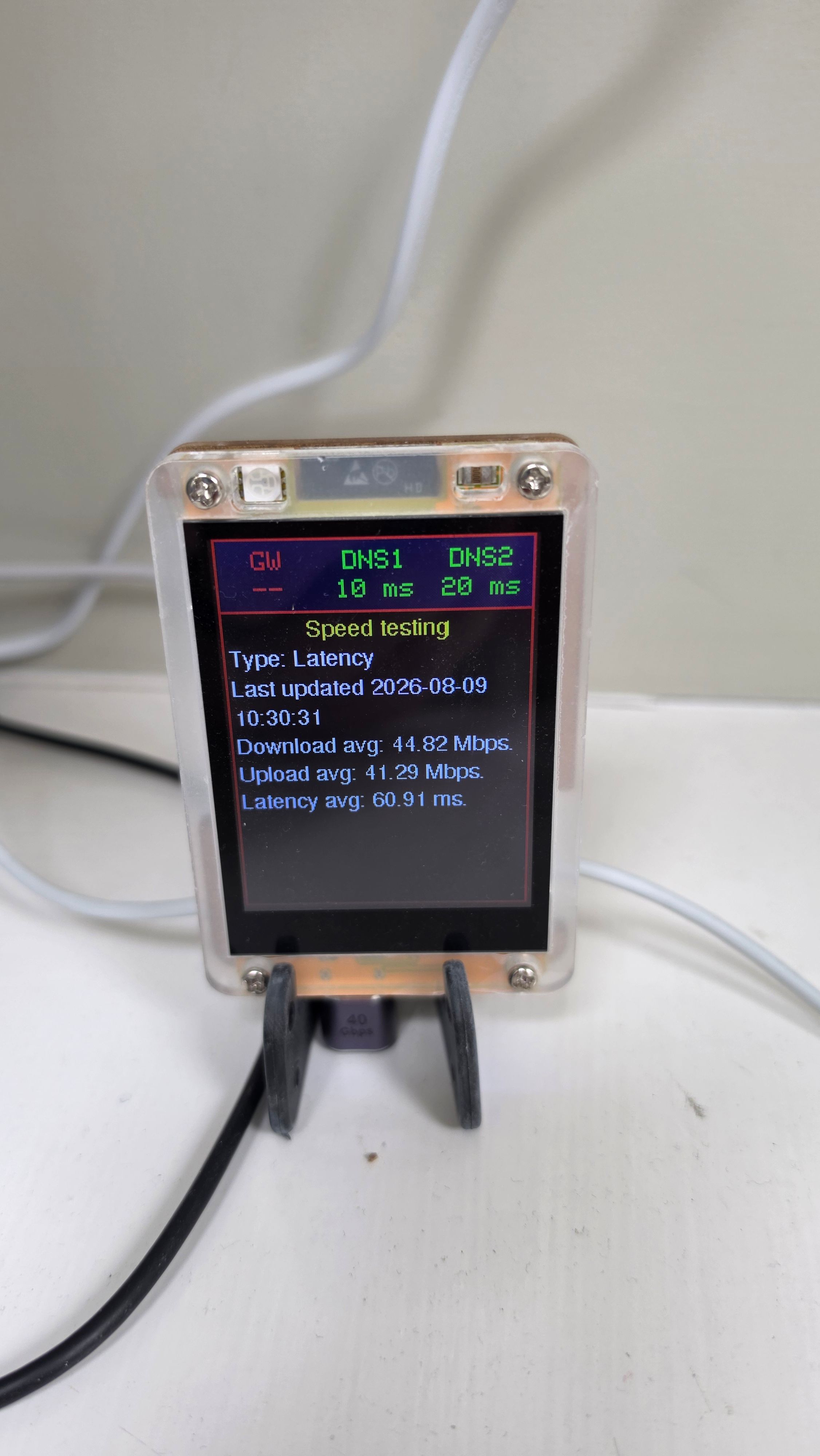
    Hi, I'm sorry for the long delay. We finally found the issue with why emails were not always being sent out by these forums. The display appears to be connected to the Internet correctly. We can tell because it is successfully reaching both DNS servers and has also received messages such as a completed a speed test showing about 44 Mbps download and 41 Mbps upload. The red gateway warning is most likely a false alarm caused by how the display checks the gateway. The display tries to make a connection to the gateway using a few common network services. The Eero or TP-Link gateway may simply not allow those particular connections, even though it is otherwise working perfectly. So this does not appear to mean the gateway or Internet connection is actually down. It is more likely that this particular network setup doesn't respond to the type of gateway test the display currently uses. We could adjust how the display performs that test so it handles networks like this correctly but I'm not sure how we would get an update to you and this device has already been discontinued for a much improved version. The display is working if you can live without it being able to determine your gateway. The important question is whether the Eero is in bridge mode or router mode. That determines whether the display sees the Eero or the TP-Link as its default gateway.