
Automatically monitor your Internet service and provider with alerts to problems
Track Internet disconnections, provider outages with historical data, and automated speed testing.
For Windows, Linux, ARM64, ARMa7. Learn more by visiting www.isptracker.com
If you have an account on app.isptracker.com, use the same credentials to log in here!
Help with request from ISP.
-
My agent ID is 131434. I have been experiencing short random drops. My provider has asked if I can ping 199.68.109.6 then send them the report to help "determine if it is an internal or network issue"? I'm not sure how to do that. Or if this even makes sense. Please help!
-
Hi,
Let me check your agent before I ask questions so that we can have a starting point. We'll try a couple of things before responding in detail.
-
Give us a bit of time, we've made a change on our end to see if that might help on your end. It needs to run for a while. We'll reply tomorrow.
-
My agent ID is 131434. I have been experiencing short random drops. My provider has asked if I can ping 199.68.109.6 then send them the report to help "determine if it is an internal or network issue"? I'm not sure how to do that. Or if this even makes sense. Please help!
Hi Justin, let me try to see if I can help with this...
Let's start with pinging the IP 199.68.109.6
You need to open the command prompt:
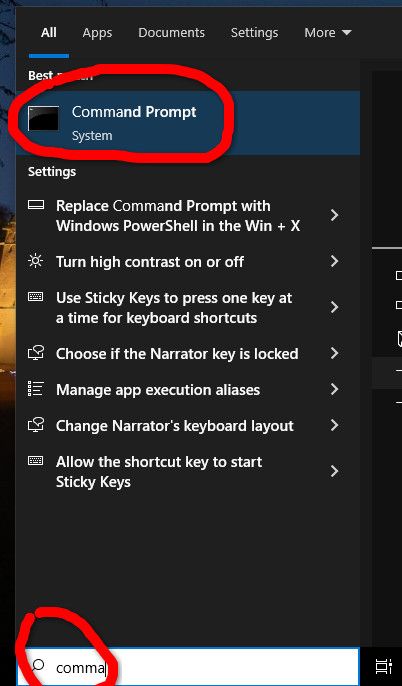
A window like this shows up:
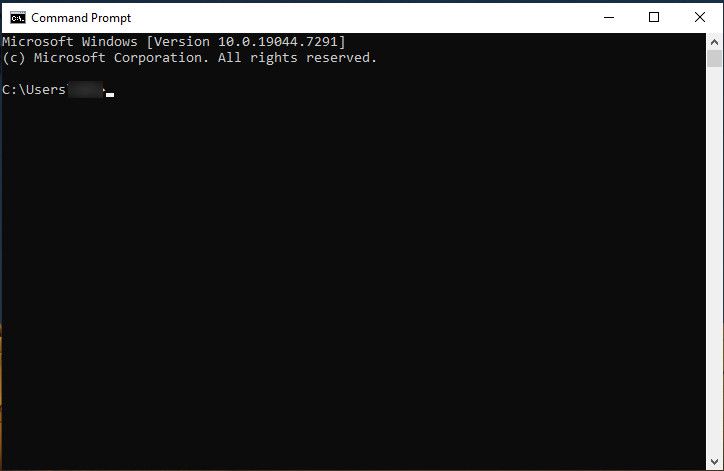
There you can write:
ping 199.68.109.6
You should get something like this
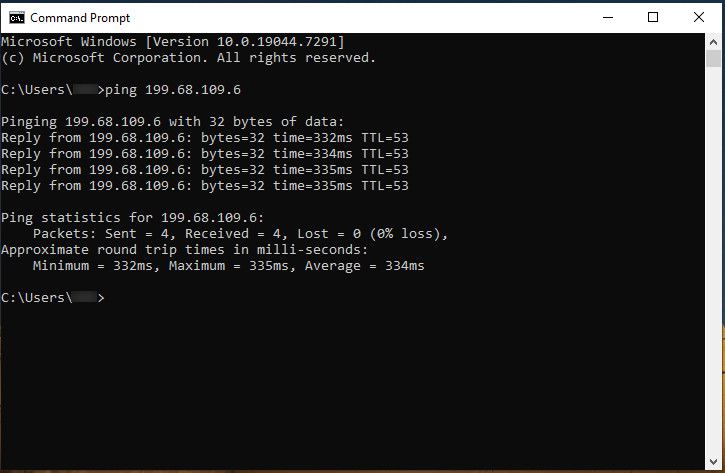
Whatever is the result please paste it here and send them the image so they will know if you are able or not to ping it.
About the short random drops...
You have access to this link
https://app.isptracker.com/agent/outages/id/131434
where you can see the outages (missing connectivity) that have been found so far and you have a lot of them!
If you simply move the mouse over the differente candles taht you see you will notice something like this:
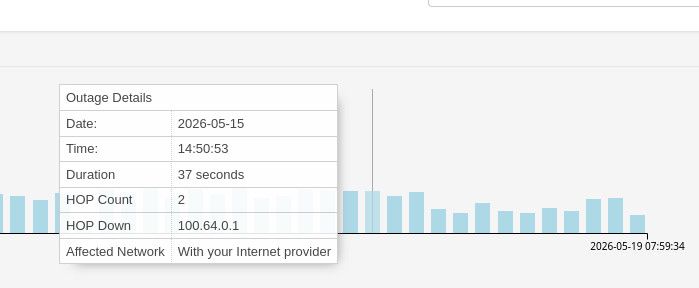
where it clearly tells you where the outage is happening (in this example it clearly says your Internet Provider and gives the IP 100.64.0.1 responsible for that)Let me know if this helps you
-
BTW, run a longer ping for them like this; ping -n 25
This will show a bit of a longer result that you can share with them.Can you also explain your setup please.
For example, are you using a switch in front of your own router/firewall?
If you are using your own firewall, is that directly in front of the providers router?
We're basically trying to determine where your LAN ends and where your ISP starts. -
Hi, did you solve the issue or something? We've not heard back from you.
-
Sorry for the delayed response. I figured out how to ping that IP address that they asked for and sent them the results. 0 packet loss. They said this test was to determine if the packet gets through their infrastructure or drops before reaching it. I'm waiting to get an update from them, so I'm not sure if there's anything else for you to look at for now. Just to clarify, my laptop was plugged directly into the ISP's ONT. This eliminates our local network from the equation.

Hello! It looks like you're interested in this conversation, but you don't have an account yet.
Getting fed up of having to scroll through the same posts each visit? When you register for an account, you'll always come back to exactly where you were before, and choose to be notified of new replies (either via email, or push notification). You'll also be able to save bookmarks and upvote posts to show your appreciation to other community members.
With your input, this post could be even better 💗
Register Login