Skip to content
Notice: support.outagesio.com is now consolidated into support.isptracker.com

Automatically monitor your Internet service and provider with alerts to problems
Track Internet disconnections, provider outages with historical data, and automated speed testing.
For Windows, Linux, ARM64, ARMa7. Learn more by visiting www.isptracker.com
Notice: If you created an account on app.isptracker.com, simply use the same credentials to log into these support forums.
  • 0 Votes
    2 Posts
    485 Views
    ISPtracker_SupportI
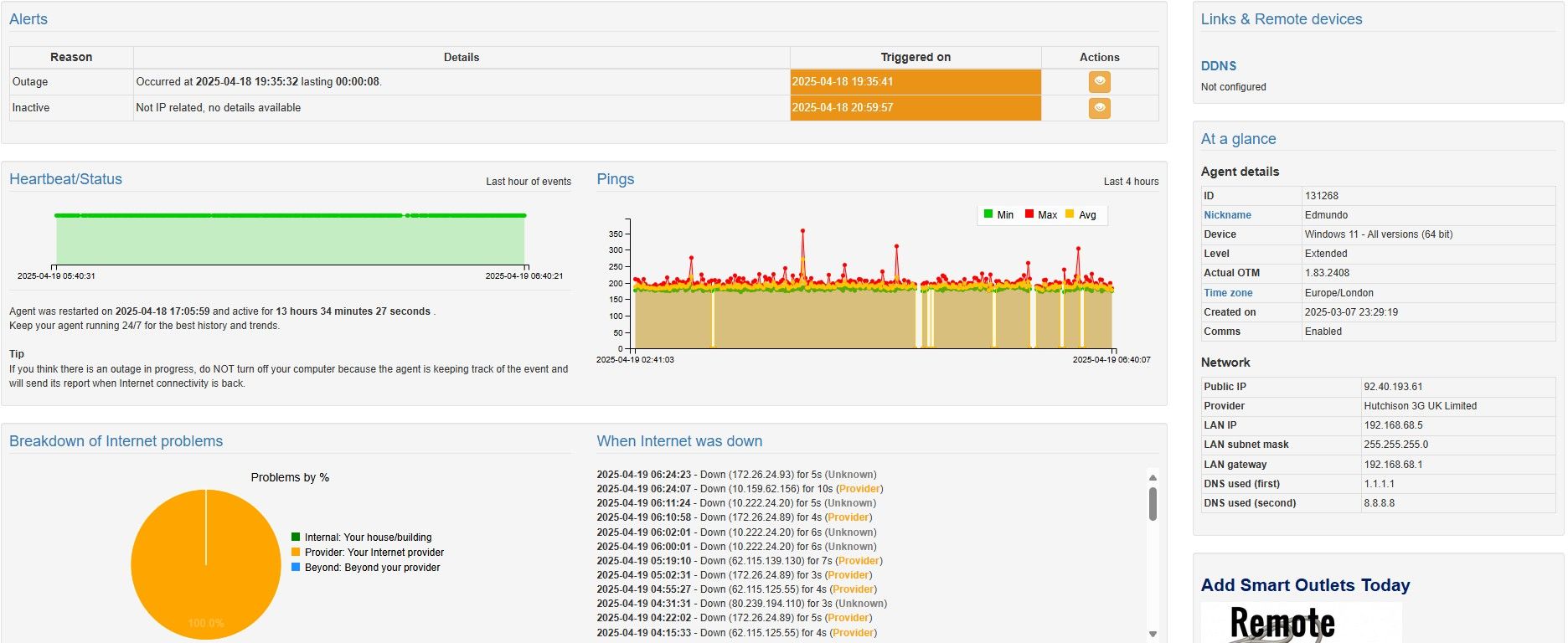
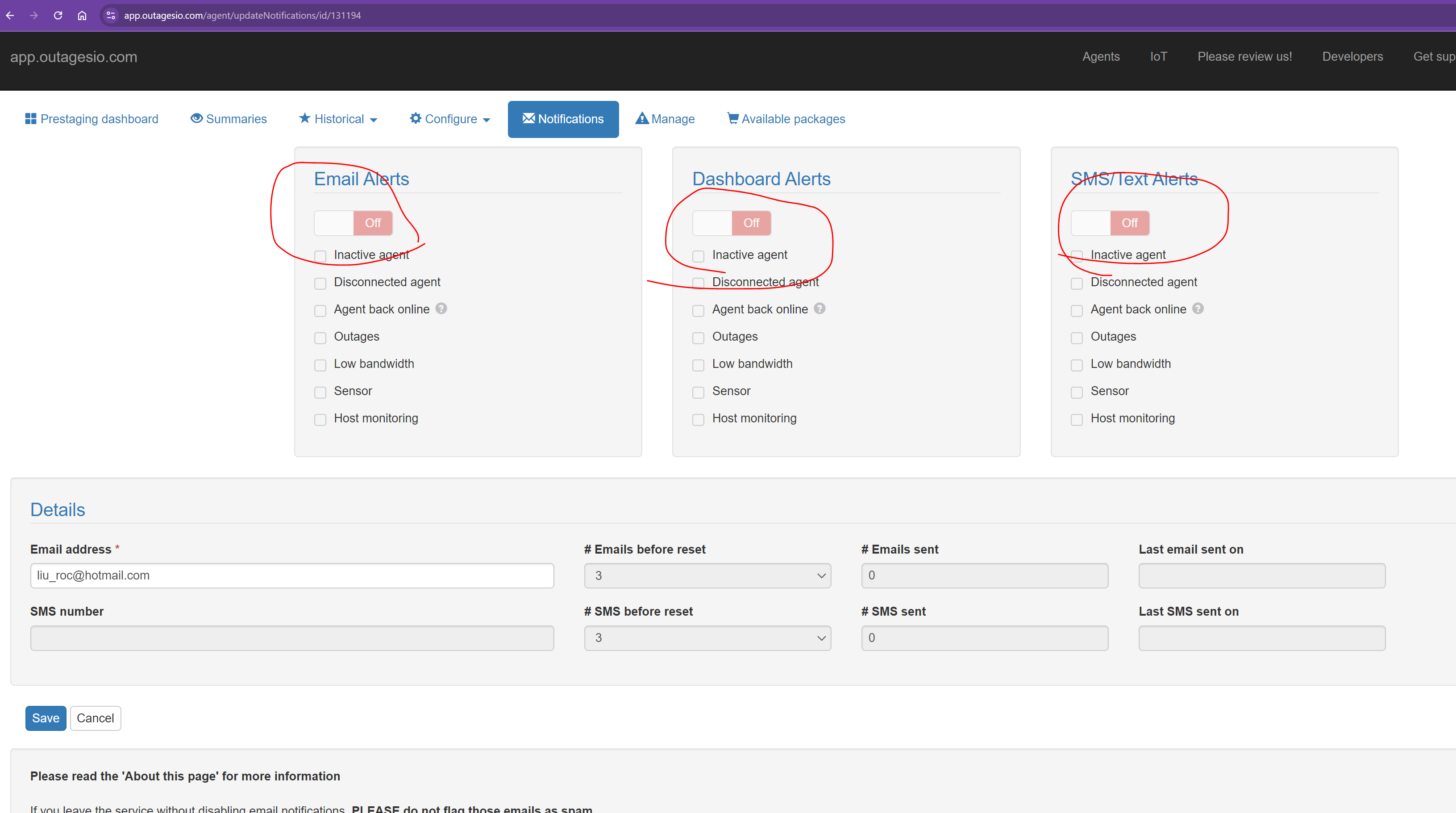
    Hi, Sorry for not responding. Every now and then, we don't get notifications for posts of they get lost in too many emails. So the first thing would be to understand what are outages and disconnections. Here are some links that can help. All can be found in this category; https://support.outagesio.com/category/7/articles-and-services-related-posts https://support.outagesio.com/topic/12/about-internet-outages-alerts-and-agent-statuses https://support.outagesio.com/topic/120/about-inactive-excessive-outages-and-notifications https://support.outagesio.com/topic/112/important-cable-and-wireless-internet-services There are two reasons that there could be down time, IP outages and/or disconnections. IP outages are the easiest one because there is always a report. If the agent cannot make a complete connection to a destination, it will instantly go into tracking mode. This means that there are two things that can happen. So long as the agent was not disrupted, it will send an outage report if there was in fact an IP outage and/or it will send an Inactive if MIA for at least 30 seconds and eventually a Disconnection notice if it is MIA for at least 30 minutes. Both of these can be disregarded if an IP outage comes in during that same time. On the OutagesIO side, Inactive/Disconnected notifications will be set if you have those enabled as well as an outage notification if you also have that enabled. This is why you would get multiple notifications that could be confusing unless you are aware of why those are sent. The agent will always log an IP outage since there is something to log but if it's just disconnections, there is nothing that can be logged, based on the articles above. Note also that like all IP monitoring, software alone cannot always be 100% sure, it takes human eyes to take a deeper look. Data from any monitoring tool is used along with other factors to determine what the problems might be. IP routes could change any moment so one ping to something remote might change routes while another might not. However, in the case of OutagesIO, the point is to get some idea of problems on the LaN but mainly it is to monitor the ISP/Provider. All data beyond the provider is for information only and cannot be used in any way since the only entity you could go after for problems is the local ISP. The upper tier carriers rarely if ever respond to complaints other than the ISPs they provide services to. It would be practically impossible to get in touch with someone that will care enough to look into it. The provider however can be motivated to do better, especially when there is correlating data from other nearby locations using OutagesIO for example that are all seeing similar problems. So again, the key is using OutagesIO as part of your tools. It automates as much as possible to help you find potential problems. A blip here and there does not always indicate a problem, it's just the nature of Internet connectivity. Let me know if this helps at all.
  • 1 Votes
    24 Posts
    9k Views
    ISPtracker_SupportI
    You're welcome. Thanks for using the service and please, pass the word on. We live by word of mouth since it's impossible to outbid deep pocket ISPs and outages sites that would rather you don't find a service like ours.
  • 1 Votes
    20 Posts
    2k Views
    SBKS
    I have made a tiny change in the logic Please let me know if the following outages are correctly identified The hops looks better now for both agents
  • 1 Votes
    5 Posts
    567 Views
    ISPtracker_SupportI
    Hi, yes, there is a delete option under Manage in that agent dashboard. Glad this was solved and thinks for using OutagesIO.
  • 1 Votes
    7 Posts
    743 Views
    J
    Thank you for the assist in regards to all of this. We are sorted and closed. :)
  • Raspberry Pi new install cannot download binary

    Solved Linux linux raspberry pi raspberry
    17
    1 Votes
    17 Posts
    1k Views
    ISPtracker_SupportI
    If it's s different topic, best to start a new one otherwise, it gets lost in the thread. If you don't mind :).
  • 0 Votes
    10 Posts
    2k Views
    J
    Hello OK, I could chat with a support person in the forums. How do I initiate the chat?
  • 0 Votes
    1 Posts
    280 Views
    No one has replied
  • Swap software agent architecture

    Linux x86 arm linux
    9
    1 Votes
    9 Posts
    1k Views
    ISPtracker_SupportI
    No problem, glad it worked because sometimes, we can't do it :).
  • 0 Votes
    5 Posts
    2k Views
    ISPtracker_SupportI
    Were you able to resolve this? We're happy to help if you still need help.
  • 1 Votes
    15 Posts
    3k Views
    ISPtracker_SupportI
    Hi, If this has not been solved yet, we can get your agent/s back up within a few minutes. Please see this post. https://support.outagesio.com/topic/295/urgent-yellow-hardware-agent-owners/4
  • 0 Votes
    3 Posts
    794 Views
    ISPtracker_SupportI
    Hi, We can get your agent/s back up within a few minutes. Please see this post. https://support.outagesio.com/topic/295/urgent-yellow-hardware-agent-owners/4
  • 1 Votes
    13 Posts
    2k Views
    ISPtracker_SupportI
    Great. Please keep this in mind if you add/remove agents. Glad it's working now.
  • Raspberry Pi4 x64 otm error

    ARM arm otm pi4 x64 cannot execute
    4
    1 Votes
    4 Posts
    1k Views
    ISPtracker_SupportI
    Hi, Do you have this working now?
  • 1 Votes
    10 Posts
    2k Views
    ISPtracker_SupportI
    BTW, if you go to Historical, Pings or Outages, there you can zoom in and out to see more data spread out.
  • 1 Votes
    4 Posts
    1k Views
    ISPtracker_SupportI
    The problem with using or posting IPs is that they can and do change so posting those publicly ends up being stale information at some point that some people would use only to find that nothing works. That said, let me explain how the pings work. The pings are set from source to destination. It doesn't matter what the destination is so long as it's consistent. The agent is not providing you pings to anything specific or meaningful to the user, it's using those to recognize if ping times are changing. The agent runs a set of pings, averaging those every minute then sending them to the network, mostly used as a visual piece of data showing when events may or did happen. The agent algorithm monitors for changes from what it has last re-calculated as average to x percentage difference. If that difference appears to be higher than average, then this triggers other tests such as a short speed test which can in turn trigger a full speed test if enabled. The point of the service is not to monitor the Internet but the provider so we're just using a target that is beyond the provider as a destination. Now, on the other hand, if you were a business customer with us, and you needed certain custom things specific to your environment, we would work with you for what ever you need because we would be communicating regularly so if we had to make changes and those could affect you, we would have a contact person to reach out to or that would know about the changes. Hope this helps to explain a little better why providing IPs would not work well.
  • 0 Votes
    2 Posts
    1k Views
    SBKS
    Hi Marc, The value is intended always for the download speed which is usually higher or equal to upload. Also the percentage, right below, is intended for download only even if the results are including also upload and latency.
  • 1 Votes
    2 Posts
    1k Views
    ISPtracker_SupportI
    Hi, For almost ten years, a free version of the reports were available but two things happened to eventually have to go paid only. First, our costs have gone up in every direction so offering the service for free is no longer sustainable. We are constantly maintaining, updating, and developing and offering the service at no cost is simply not possible anymore. However, we do our best to make it very low cost. If $5.95 saves you even one hour of troubleshooting in one month, it's been paid for. Second, we had a large base of free members but 99% of those members never interacted with us no matter how much we tried to get input and feedback. Not getting any feedback makes it hard to improve, fix problems, and more importantly, hard to know what we should focus on and put more effort into. Free services are often abused and are mostly offered by companies that have big investors behind them, willing to lose money to gain a user base. We don't have investors, we're a small company wanting to earn our keep by offering good services that people find useful. I hope this helps to answer your question, and we hope you'll find OutagesIO useful too.
  • 0 Votes
    1 Posts
    935 Views
    No one has replied
  • 1 Votes
    4 Posts
    1k Views
    ISPtracker_SupportI
    Hi, Our subscriptions use the Paypal service as we prefer not to keep any financial information on our site for better member protection. If you want to cancel, you just log into your account on Paypal, find your subscription using the ID for OutagesIO then cancel any time. Hope this helps.